


Menu Maker, Price List Maker
4.9295.00 Reviews
App Specs
- Version
- 73.0
- Updated On
- License
- Free
- Downloads
- 1,000,000+
- Developer
- Digital Marketing Tools
- Categories
- Art & Design
- Platform
- Android, iOS
Screenshots
 Analysis by AppCompare
For a small café, a family dinner, or a one-off community event, a menu needs to do more than list dishes: it should help people understand what’s available at a glance. I like the idea behind Menu Maker, Menu Templates because it focuses on that specific job rather than asking me to build a full brand or learn a general-purpose design tool. It is a free art and design app from Digital Marketing Tools, and its appeal is straightforward: start with a menu layout and shape it around the occasion.
Where it fits in a real workflow
I can see this being most useful when the menu is a practical communication piece, not a major branding project. Imagine a home cook hosting a dinner and needing a neat list of courses, or a café owner adjusting a printed specials sheet before opening. Starting from a menu-oriented layout can save time compared with building the page from a blank canvas in a general design app.
The trade-off is that a template can also steer the look more than you may want. If your menu needs a very particular identity, unusual paper size, precise brand rules, or a complex hierarchy of dietary notes and prices, a flexible desktop design program may give you more control. I would treat this app as a convenient way to make a clear, attractive menu, rather than a complete replacement for professional layout software.
Choosing and adapting a template thoughtfully
The template collection is a useful starting point, but I would choose based on readability before decoration. A dramatic script font might suit a formal dinner, yet it can make dish names harder to scan on a busy counter. For a café board or takeout insert, a simpler type style and stronger contrast are usually more helpful than extra ornament.
One practical approach is to decide the menu’s purpose first: a one-evening event, a recurring seasonal menu, or a quick daily special. Then pick a design that leaves enough room for the amount of text you actually have. If you have many items, avoid a template whose appeal depends on large photos or oversized headings; otherwise, you may end up shrinking the details that customers need most.
Small workflow choices that save time
When making a menu for a recurring event, I would keep one clean version as a base and duplicate it before changing dishes or prices. That makes it easier to preserve the overall style while reducing the risk of accidentally replacing the version you already use. It also gives you a straightforward way to compare a new seasonal arrangement with the previous one before sharing or printing it.
Images can make a menu more inviting, but they are not automatically an improvement. A single appealing dish photo can add context; several inconsistent images may make the page feel crowded and harder to read. I would use pictures selectively, check that they do not compete with item names, and view the finished page at the size people will actually see it. A design that looks balanced on a phone can become cramped when printed small.
Worth Reading Before You Choose

EA SPORTS FC Mobile 26 Is a Bigger Football Game, but It Takes Time

Flipboard Shows What News Apps Must Do Beyond the Feed

Switching to Android Auto Means Rethinking Your Driving Routine

Google Calendar Makes a Crowded Week Easier to Manage

Ludo King Makes the Most of the Minutes Between Plans

Baby Panda World Brings Quick Play to Modern Phones, but Its Game Library Feels Busy
Before exporting, I would read the menu once as a customer rather than as its creator. Check spelling, prices, section order, and whether any dietary labels are easy to spot. If the menu will be printed, inspect the exported file on another screen or print a test copy when possible. That extra check is especially worthwhile after changing fonts, moving elements, or adding a photo.
First Impressions: Navigating the App
The moment you fire up Menu Maker, Menu Templates, you’re greeted with a slick, intuitive interface. It’s like walking into a well-organized kitchen where everything is within reach. The app is available for both Android and iOS, which is perfect for those of us toggling between devices.
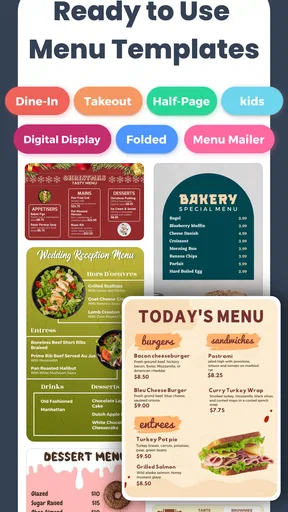
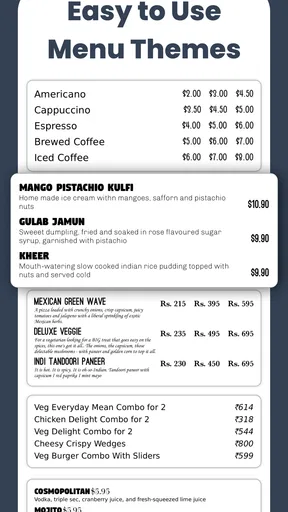
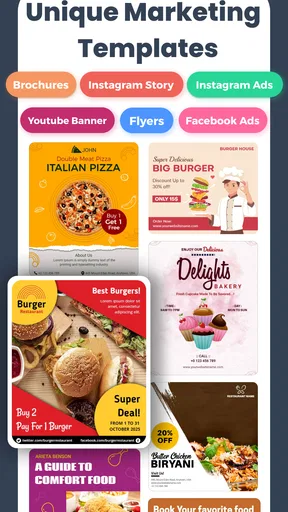
Right off the bat, the app offers a plethora of templates. From elegant dinner menus to quirky café options, there’s something for everyone. I was particularly impressed by how easy it was to browse through the categories. If you’re like me and appreciate a good aesthetic, you’ll love how visually appealing the templates are.
Getting Creative: Customization Options
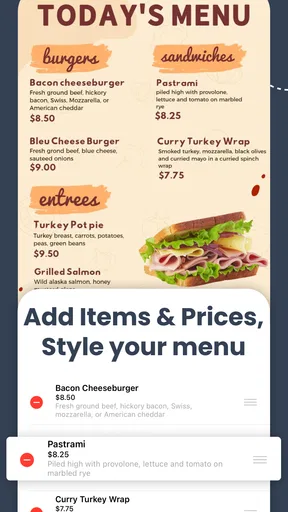
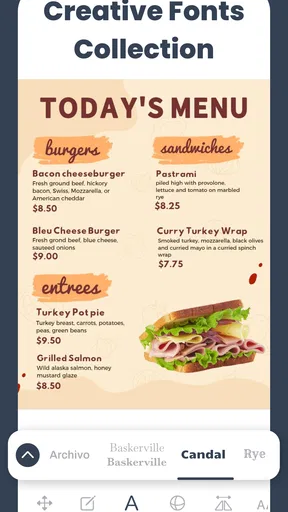
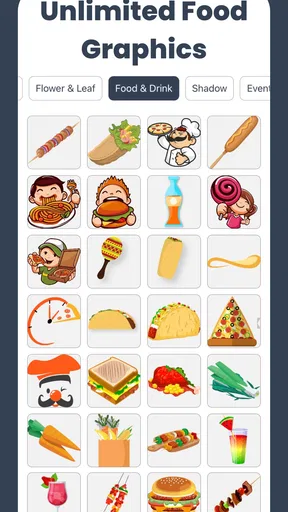
Once you’ve picked a template (good luck choosing just one!), the real fun begins. Customization is where Menu Maker truly shines. You’re not just slapping your dish names onto a template; you’re crafting a masterpiece. Fonts, colors, and layouts are all at your command. You can even add images of your dishes, which is perfect for those Instagram-worthy creations.
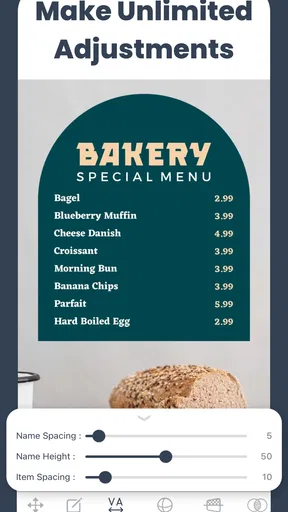
What really caught my attention was the app’s drag-and-drop feature. It’s smooth and responsive, making it super easy to move elements around. You don’t need to be a tech wizard to create something that looks professional. I found myself playing around with different designs for hours, and trust me, it’s addictive.
Practical Features: More Than Just Looks
Now, it’s not just about looking pretty. Menu Maker packs a punch with its practical features. The app lets you save your menus in various formats, including PDF and JPEG, making it easy to share with friends or print out for your event. This flexibility is a lifesaver, especially if you’re running a business and need to make quick updates.
For those of us who like to keep things fresh, the app also allows you to duplicate menus. This way, you can tweak your existing designs without starting from scratch. It’s a small feature, but one that saves a ton of time.
Usability: Smooth Sailing or Choppy Waters?
In terms of usability, Menu Maker is a breeze. The app runs smoothly, with no noticeable lag, even on my older phone model. I appreciate that the developers clearly prioritized user experience. The app’s design is straightforward, making it accessible to anyone, regardless of tech-savviness. Even my grandma could whip up a menu on this!
One thing I did notice, though, was that some of the more advanced features are locked behind a paywall. While the free version offers plenty, if you’re a true menu aficionado, you might find yourself tempted to splurge on the premium version. But hey, you get what you pay for, right?
What the current version means for users
The app has been available since January 21, 2022, and its current version is 69.0. That version number indicates that the product has moved through many iterations, but it does not by itself tell me which specific tools or changes were added along the way. What matters to a new user is whether the current experience suits the job: making a menu without needing to construct every element from scratch.
For someone already using an earlier release, I would focus on practical checks rather than expecting a particular new feature from the version label. Open an existing design, make a small edit, and confirm that the text and layout still work for your intended output. If a menu is part of a live business routine, keeping a separate copy before making significant revisions is a sensible habit with any design app.
The audience numbers suggest that this is not an obscure experiment: it has passed one million installs and holds an average rating of 4.8 from around 38,000 ratings. Those figures can help set expectations about its reach, but they do not guarantee that every template or workflow will suit your needs. I would still judge it by a test menu made with your own wording, visual style, and printing or sharing requirements.
Who should use it—and who may prefer another tool
This is a strong fit for people who want a menu quickly and are comfortable adapting a ready-made design. Home cooks, small food businesses, pop-up sellers, and event organizers can all benefit when a polished page matters more than highly customized production. Its Everyone age rating reflects a broad audience, and the free starting point makes it easy to explore before deciding whether paid options are relevant.
It is less compelling if you need strict brand templates shared across a team, detailed print-production controls, or a complete suite for managing a restaurant’s operations. A general graphic design app may be better for posters and social campaigns that need to match a wider visual identity; a desktop publishing tool is a better choice when exact layout control is essential. This app’s narrower focus is a convenience when the task is simple, but a limitation when the project grows beyond a menu.
The app is free to download, with in-app purchases ranging from $3.99 to $59.99 per item. I would explore the free tools with a real sample menu before paying for anything. That lets you see whether the available layouts and editing options are enough for your routine, rather than buying on the assumption that a paid tier will solve a requirement you have not tested.
What I would check before relying on it
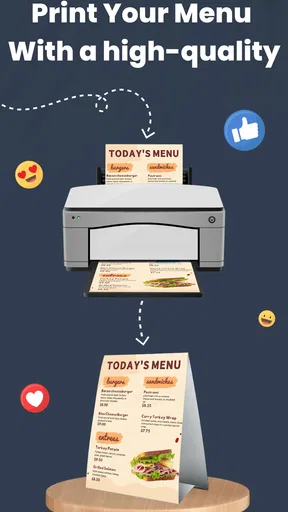
One question many people have is whether a finished design can leave the app in a useful form. The available export options include PDF and JPEG, which cover common needs: a PDF is a natural choice for printing or sending as a document, while a JPEG is convenient for sharing as an image. I would choose based on where the menu will be viewed, then inspect the result at its final size rather than relying only on the editor preview.
Another practical question is whether it can handle repeated changes. The ability to duplicate menus gives you a workable starting point for a rotating selection, though I would still keep names and prices carefully checked each time. Duplication saves layout effort; it does not prevent old details from carrying over, so treat the copied version as a draft until every line has been reviewed.
For a day-to-day example, picture a café changing its lunch specials. I would duplicate the previous menu, replace only the dishes that changed, keep the familiar visual structure, and export a fresh copy for the counter. That workflow is faster and less error-prone than remaking the whole page, as long as I verify prices and dates before sharing it. If the menu changes constantly throughout the day, though, a printed design app may not be enough; a digital menu system built for live updates would be more appropriate.
Wrapping Up: Is It Worth It?
So, after spending some quality time with Menu Maker, Menu Templates, would I recommend it? Absolutely. Whether you’re a home chef wanting to impress your friends or a business owner looking to elevate your brand, this app is a fantastic tool. It’s user-friendly, packed with features, and offers a creative outlet for anyone looking to design menus that stand out.
Sure, there are a few premium features that might tempt your wallet, but the value you get is worth every penny. Next time you’re in need of a killer menu, you know where to turn. Happy designing!
What to keep in mind as you grow
My recommendation comes with a boundary: use it when speed, an attractive template, and straightforward sharing matter most. If you later find yourself needing a tightly controlled visual system across many locations or frequent collaborative edits, reassess whether a dedicated professional tool would be a better fit. The developer, Digital Marketing Tools, has brought the app to its current release, but future changes are something to judge when they arrive, not assume in advance.
For a first menu, I would keep the design restrained, use only the images that genuinely help, and test the exported file before printing a stack of copies. That approach plays to the app’s strengths without asking it to do more than it is built for. If your goal is a clear menu that looks considered without a steep design learning curve, it is an easy option to try; if your requirements are unusually exact, begin with a tool that gives you that finer control.
Pros
- Easy-to-use interface for beginners.
- Wide variety of templates available.
- Customizable design elements.
- Supports multiple languages.
- Quick sharing options for social media.
Cons
- Limited free features.
- Occasional ads can be disruptive.
- Requires internet for full functionality.
- Some templates may need premium access.
- Export options are somewhat limited.
FAQs for Menu Maker, Price List Maker
What is Menu Maker, Menu Templates?
Menu Maker, Menu Templates is an app designed to help users create personalized and professional-looking menus for various occasions. Whether you are a restaurant owner or planning an event, this app provides a variety of templates and customization options to suit your needs.
Is Menu Maker, Menu Templates free to use?
Menu Maker offers a free version with basic features and a selection of templates. However, to access premium templates and advanced customization tools, a subscription or one-time purchase may be required. Check the app store listing for detailed pricing information.
What customization options are available in Menu Maker?
The app offers a wide range of customization options including font styles, color schemes, and the ability to add images or logos. Users can tailor each menu to fit the theme of their event or establishment, ensuring a unique and professional presentation.
Can I use Menu Maker offline?
Menu Maker requires an internet connection to download new templates and access certain features. However, once a menu is created, you can save and edit it offline, making it convenient for users without constant internet access.
Is Menu Maker suitable for all types of events?
Yes, Menu Maker is versatile and suitable for a variety of events such as weddings, corporate events, or everyday restaurant use. The app's diverse template library caters to different themes and styles, allowing for personalized menu creation for any occasion.


